Apps
findjobs.ge on your phone and your desktop
The whole board, your applications and your messages, in Georgian, English and Russian. Everything the apps do is free, and the apps carry no ads.
8,960 vacancies live on the board right now, and the apps read the same database this page does.
or the direct download (.dmg) · 1.9.1 · macOS 14+
Free · no ads
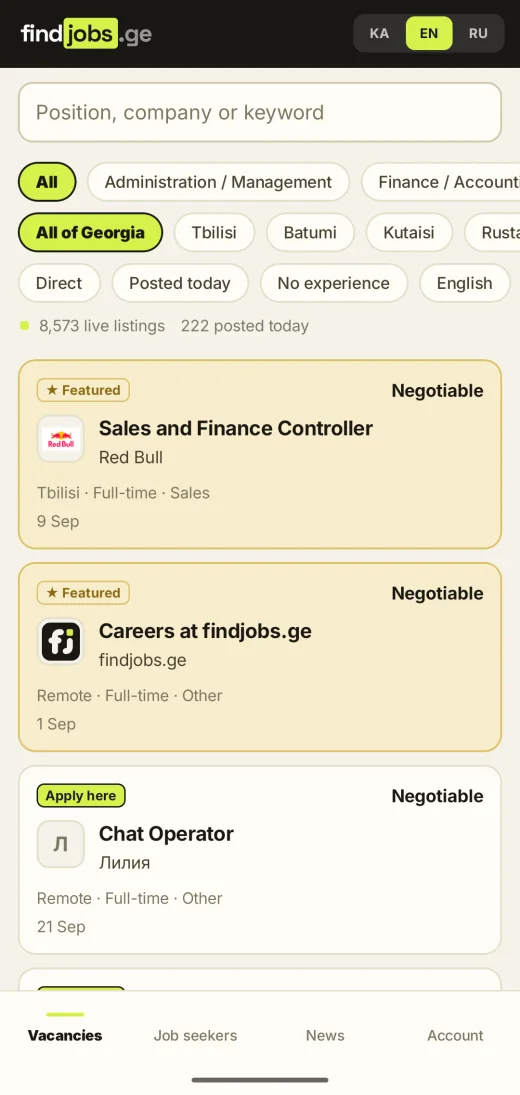
What it looks like
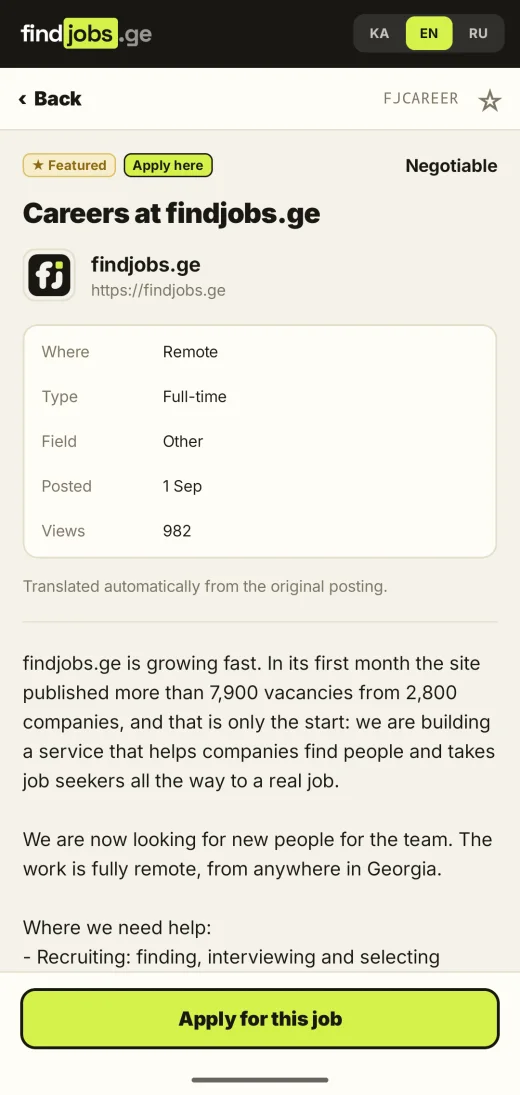
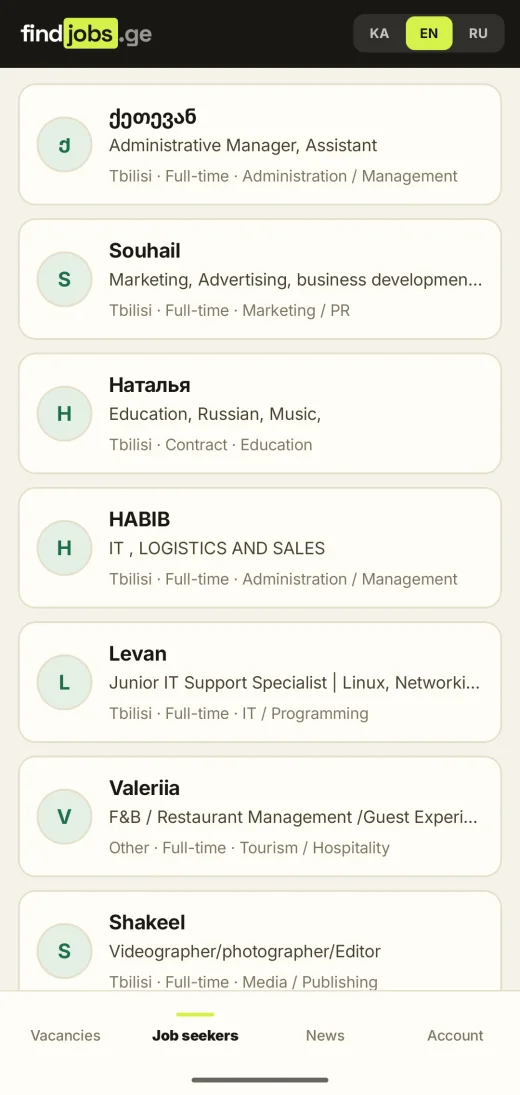
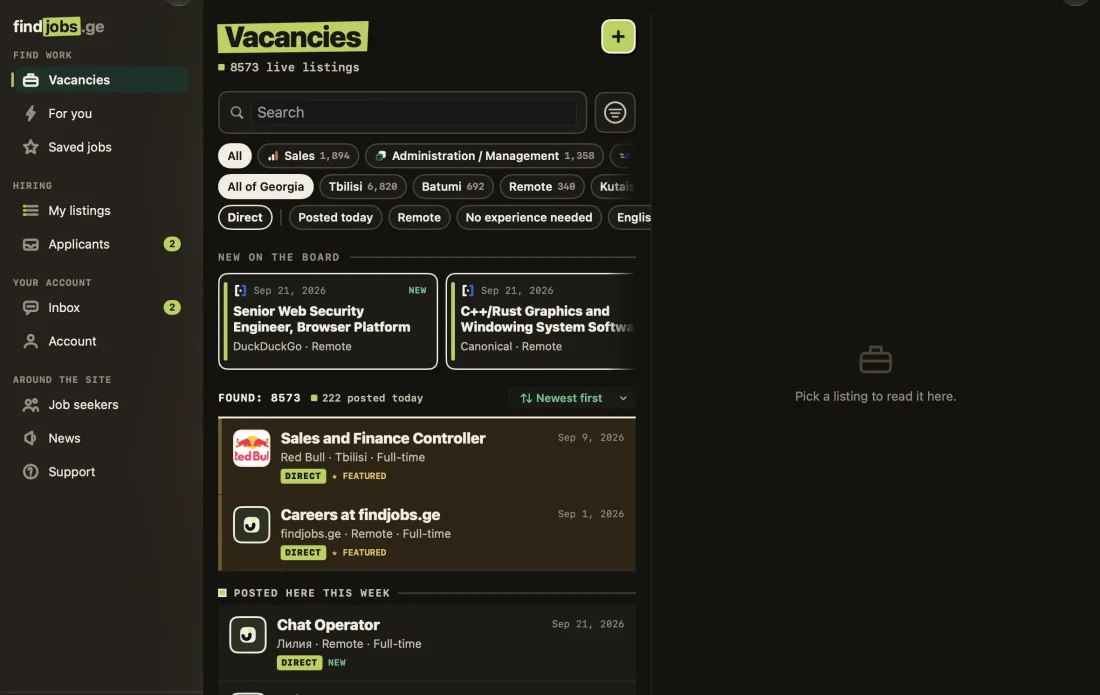
Screenshots from the builds published on this page, in your language.
What the apps do
The whole marketEvery vacancy publicly posted in Georgia, merged and de-duplicated, not one site’s worth.
Filters that workCity, field, employment type and pay, including pay read out of the advert text when it was only written there.
Apply in a minuteFrom inside the app, with or without a CV, to any listing, including ones we mirror, which we deliver to the employer ourselves.
Three languagesGeorgian, English and Russian, and not just the menus: every vacancy is translated and labelled as a translation, with the original one tap away. The website adds Turkish.
Saved jobsKept on your device and nowhere else. Nothing you read is shared with anyone.
Your repliesEmployer answers arrive in a thread in the app, and interview times are one tap to confirm.
Hiring tooPost a vacancy, read applicants, reply and bump, the employer side is in the app, not just on the site.
NotificationsAn application, a reply, an interview time, the phone tells you, and tapping it opens the thing it was about.
Dark modeFollows your system, on all three platforms.
All three apps notify you: an application arriving, a reply in a thread, an interview time. The fit score and the CV check are on iPhone first and are coming to Android.
What happens when you install
Mac
Signed with an Apple Developer ID and sent to Apple to be notarised before it is published, so it opens normally on a Mac that has never heard of us: open the disk image, drag findjobs.ge to Applications, launch it. It updates itself from here, so you download it once.
Android
Android will ask permission to install an app from outside the Play Store the first time, because this file comes straight from us rather than through Google. Allow it for your browser, open the downloaded file, install. It does not update itself yet, a new version means downloading it again.
When findjobs.ge reaches Google Play you will need to uninstall this version first. Google signs its own copy with its own key, and Android will not update one with the other.
Check the file before you install it
You do not have to take our word for it. Both builds carry fingerprints you can compare yourself, and the commands below are the whole procedure.
The APK, by its contents
Catches a download that was corrupted, truncated or swapped. Run this on the file you downloaded and it either matches the line below or it is not the file we published.
shasum -a 256 findjobs.ge-1.5.0.apkExpect
81d875cda2a10b11b37ee01277043a65c3fd2ee5fa51b6042d11f4d82368b4adOn Windows, the digest command is certutil -hashfile <file> SHA256.
The APK, by its signature
The stronger check, and the one worth doing: it proves the app was signed by our release key, whatever the file is called or where you got it. Android itself enforces this on every update. Needs apksigner from the Android SDK.
apksigner verify --print-certs findjobs.ge-1.5.0.apkExpect
Signer #1 certificate DN: CN=findjobs.ge, O=findjobs.ge, C=GE
Signer #1 certificate SHA-256 digest:
532df18956ccfe55796111121fb7c57e557f2b88bfd2e37a7306e2d18714b2b3
The Mac app, by Apple
macOS checks this for you on first launch, but you can ask it yourself. The answer to look for is "Notarized Developer ID", and the team identifier is ours.
spctl -a -vvv -t install /Applications/findjobs.ge.app
codesign -dv --verbose=2 /Applications/findjobs.ge.app
Expect
accepted · source=Notarized Developer ID · TeamIdentifier=7F93RNTTMCshasum -a 256 findjobs.ge-1.9.1.dmg
aa20d3b3e74a308ea73f062422e39727695d75c18fca506e62f328bac231ddb5Why these are safe to install
Signed, both of them
The Mac build carries an Apple Developer ID and Apple’s notarisation. The Android build is signed with our own release key, and the fingerprint is published above.
Nothing is tracked
No advertising networks, no analytics SDKs, no third-party trackers in either app. What the apps send is what you do with findjobs.ge.
The same account
Sign in with an emailed code or a passkey. Employer accounts can add two-factor authentication, and CVs are encrypted at rest.
A person reads the board
Every directly posted vacancy is reviewed before it publishes, and nobody on this board may ask a candidate for money.