New profiles for job seekers, new company pages and teams for employers
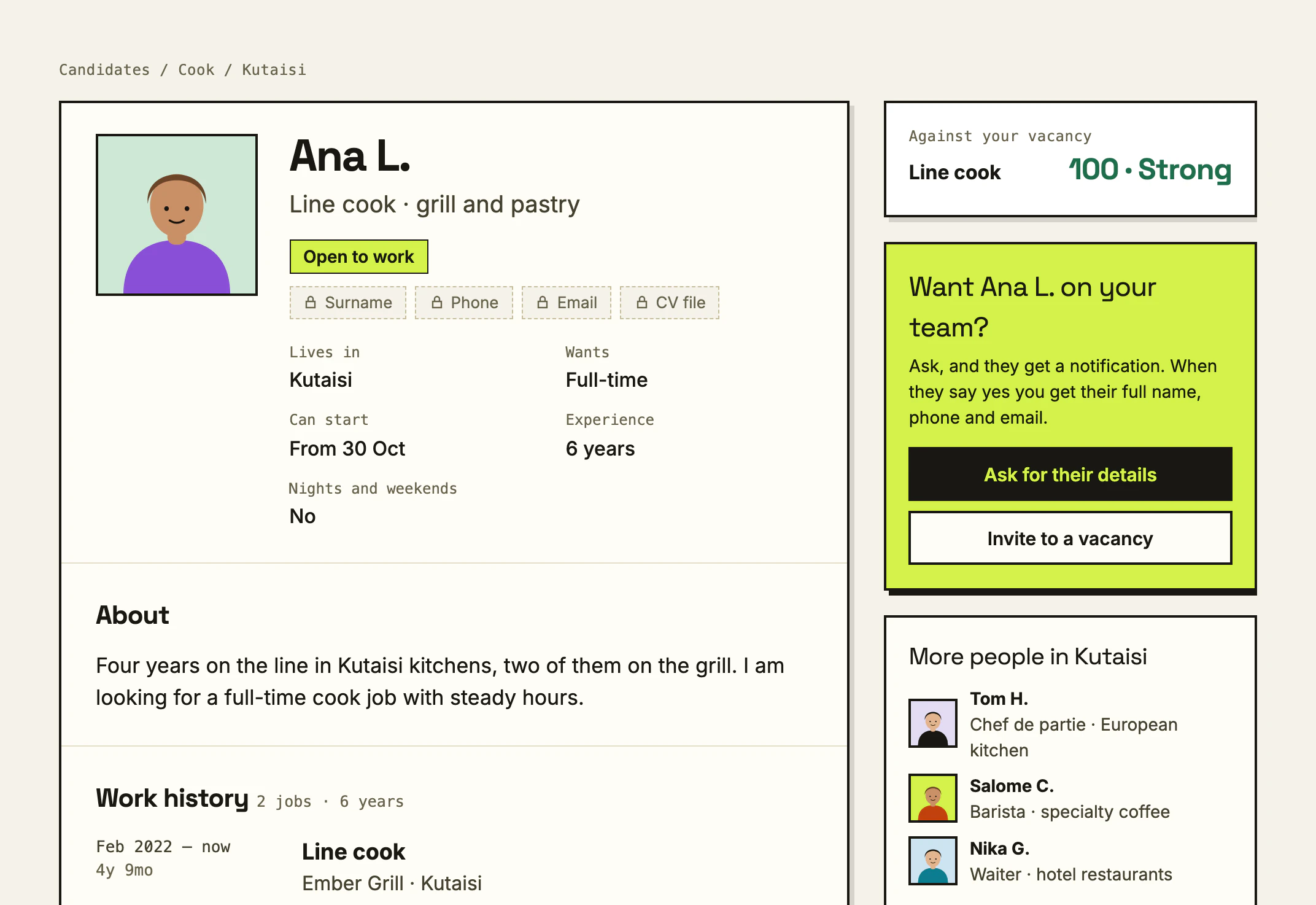
Job seekers now have a profile that works as a CV on findjobs.ge: fill it in once, keep your surname and phone private until you choose to share them, and let employers find you. Employers get a company page built from checked facts, and can bring colleagues in, each with their own sign-in.
Your profile is now your CV
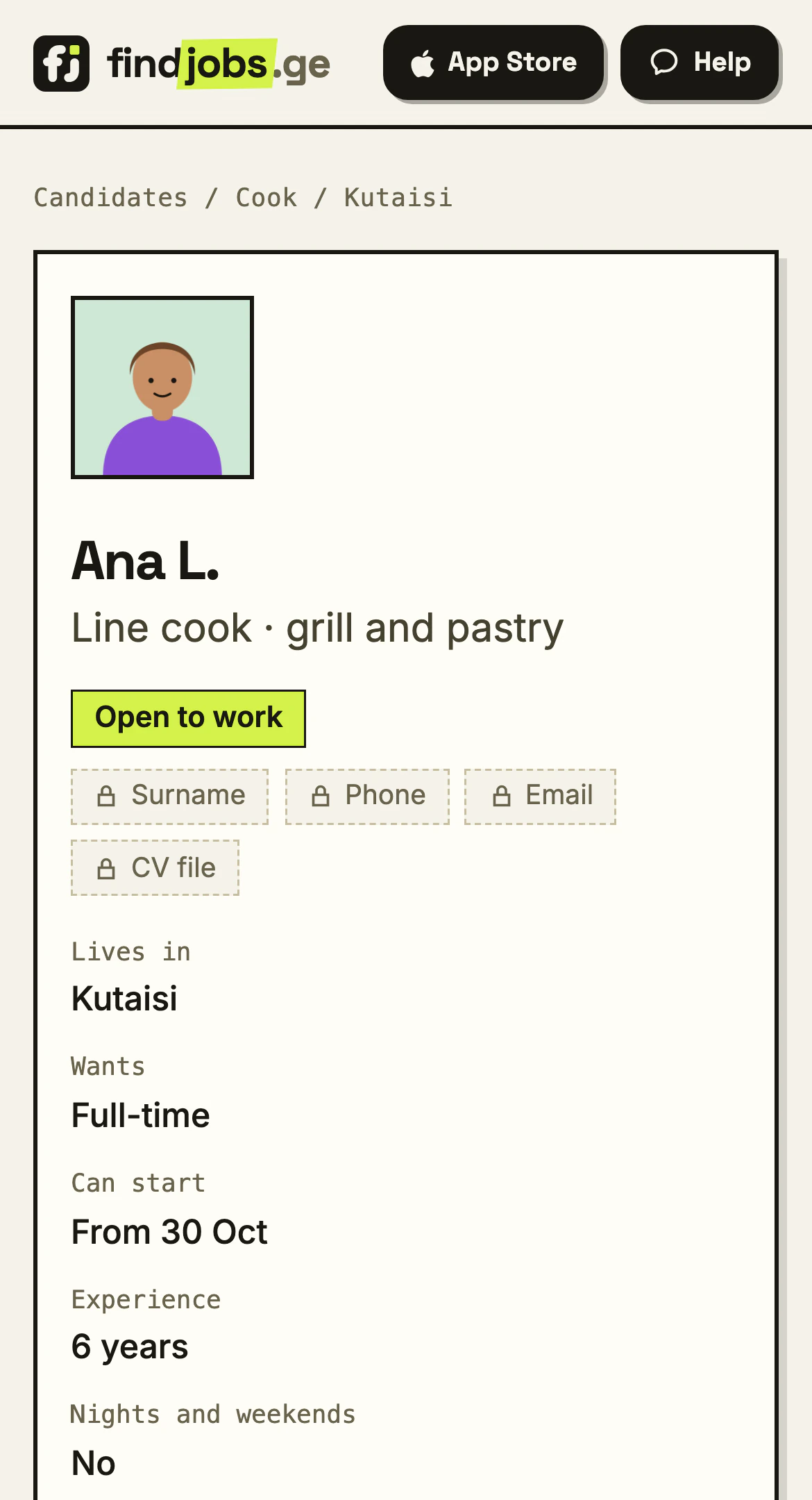
Fill it in once
Your job, experience, languages and what you are looking for, in one place. Every application you send carries it, and employers can find you on the Candidates list.
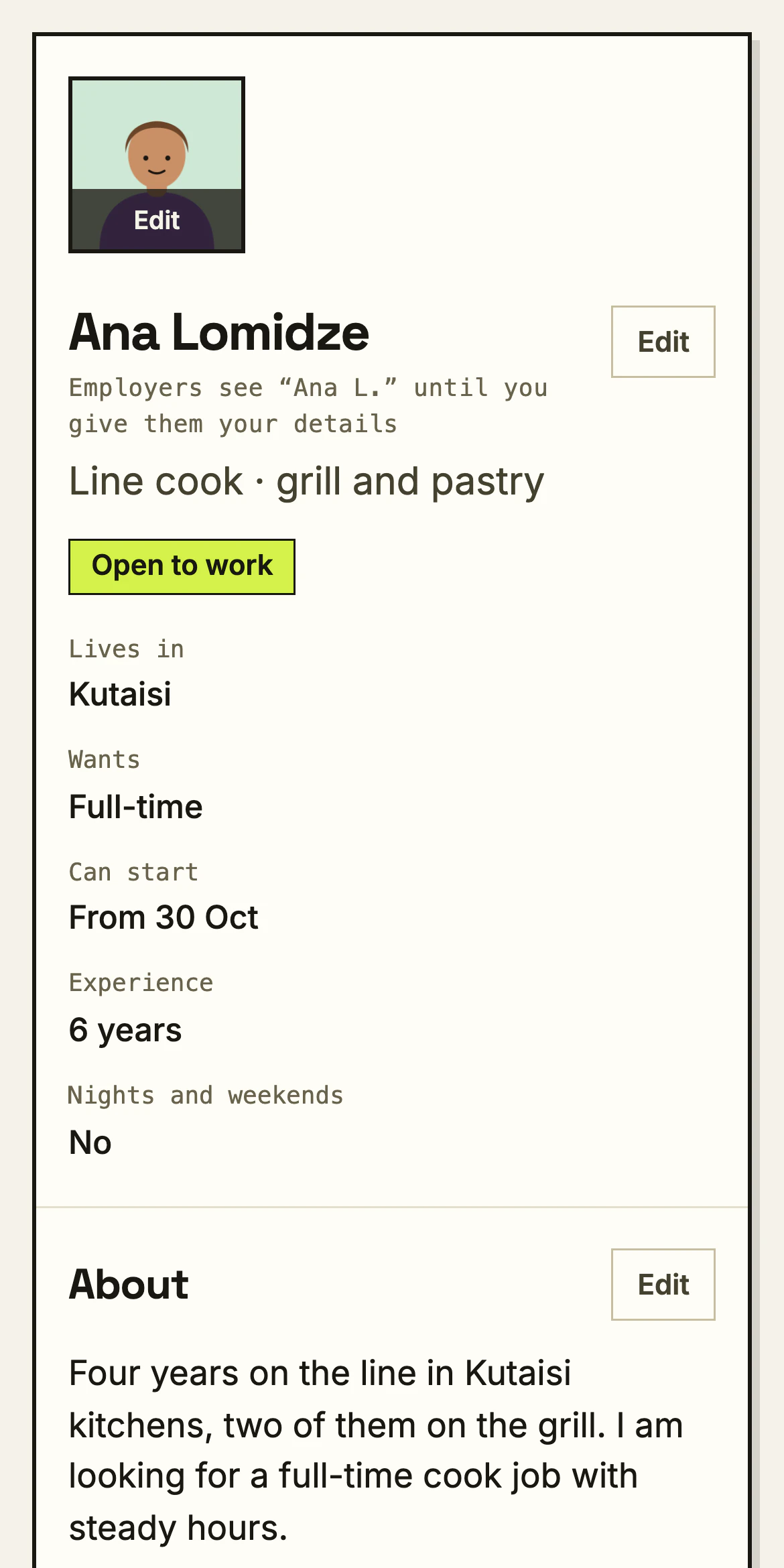
Your details stay locked until you share them
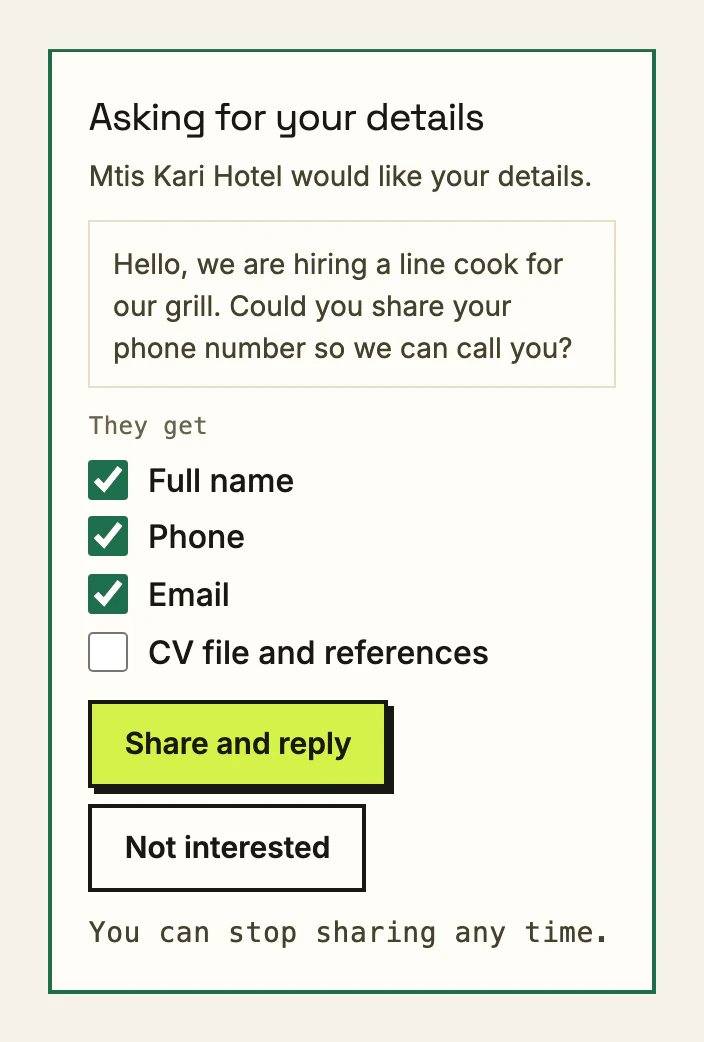
An employer can ask for your details. You see who asked and what for, and you choose what to share. You can stop sharing at any time.
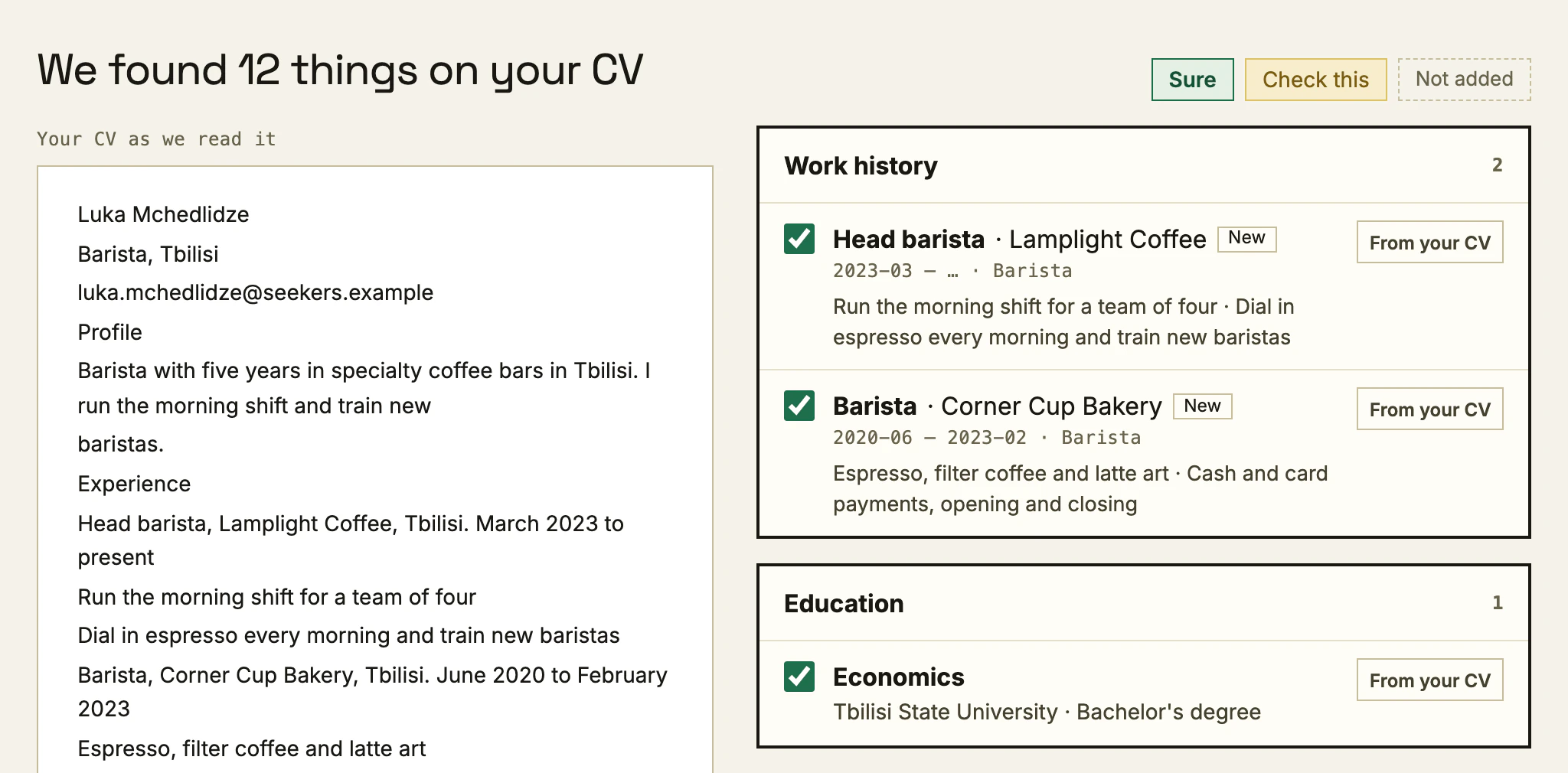
Start from the CV you already have
Take a photo of your CV or upload the file, and your profile fills itself in. You check every line before anything is saved.
Find people, show who you are, bring your team
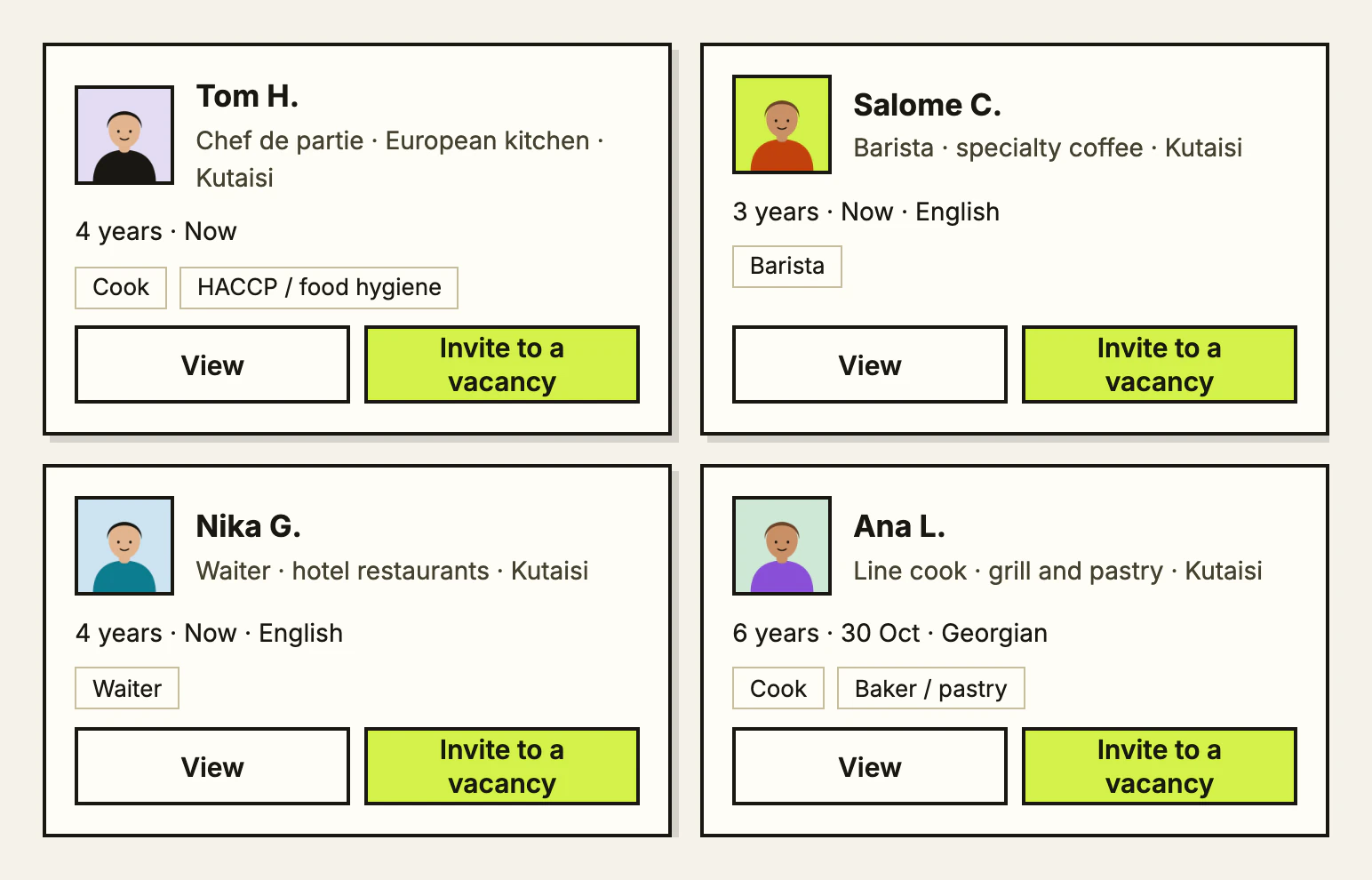
Find people who fit
Browse candidates by trade and city. Open a profile to see their experience, then ask for their details or invite them to apply to one of your vacancies. Browsing is free; asking and inviting come with Pro.
A company page built from checked facts
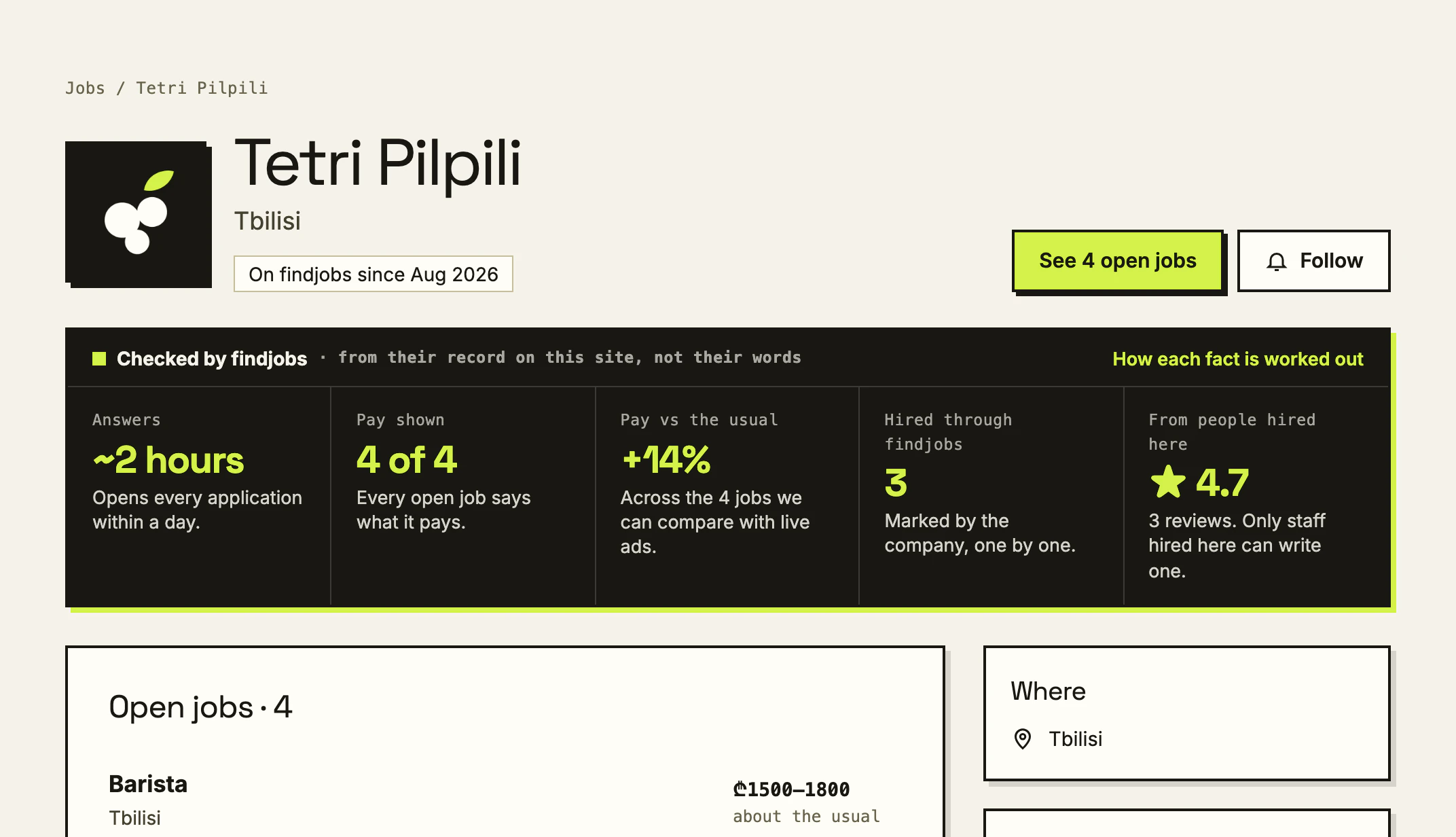
Your page shows how fast you open applications, whether your vacancies show pay, and how long you have been hiring here, worked out from your record on the site. Add your photos and what you offer.
Bring your team
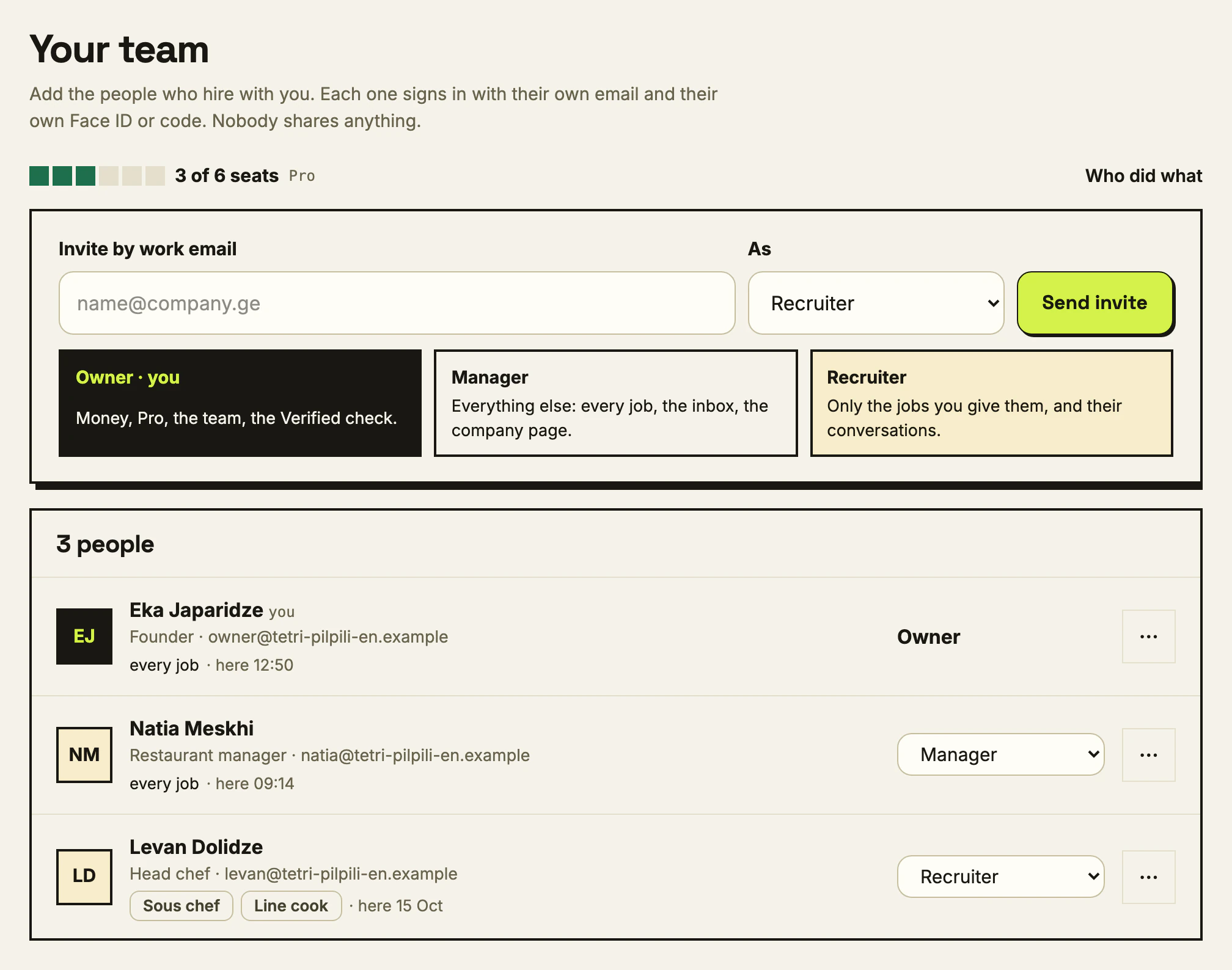
Invite a manager or a recruiter by their work email. Everyone signs in with their own account and their own second lock, and you can see who answered whom.
How to try it
Questions
Is my phone number public?
No. Your surname, phone, email and CV file stay hidden until you share them with a particular employer.
Can I hide my profile?
Yes. One switch on My profile takes it off the Candidates list.
What does Checked by findjobs mean on a company page?
Each fact is worked out from the company’s record on the site, such as how fast it opens applications. The company cannot type it in.
Do I need Pro to contact candidates?
Browsing candidates and their profiles is free. Asking for their details and inviting them to apply come with Pro; an invitation written without Pro is kept and goes out the moment Pro starts.
Does a team cost extra?
Two people are free. Pro Lite has three seats and Pro has six; on Pro you can add more.
Get the next update by email
One email per update, real numbers, nothing else. Confirm once, stop any time.
How it works →